

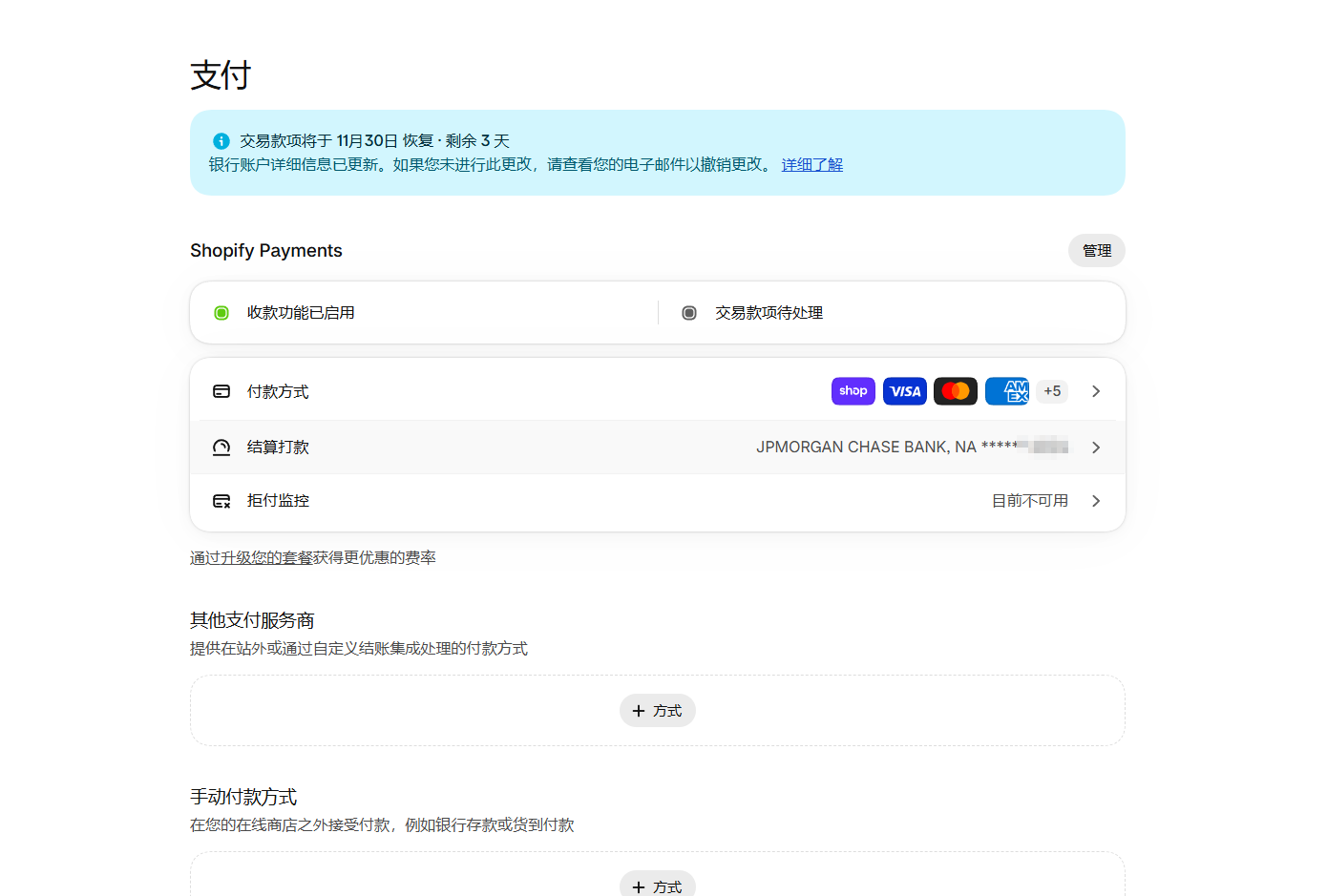
Summary of this single-store case: Recorded on November 26–27, 2026, this walkthrough shows how updating a rejected Colorado Registered Agent address to a real independent US operating address, resubmitting 100% owner verification in Shopify Balance, and linking a USD bank account (JPMORGAN CHASE BANK, NA) cleared the red payout lock and entered the documented case's 3-day security hold ("Payouts resume Nov 30 · 3 days left").
1. Diagnosing Enabled Payments With Red "Unable to Receive Payouts"
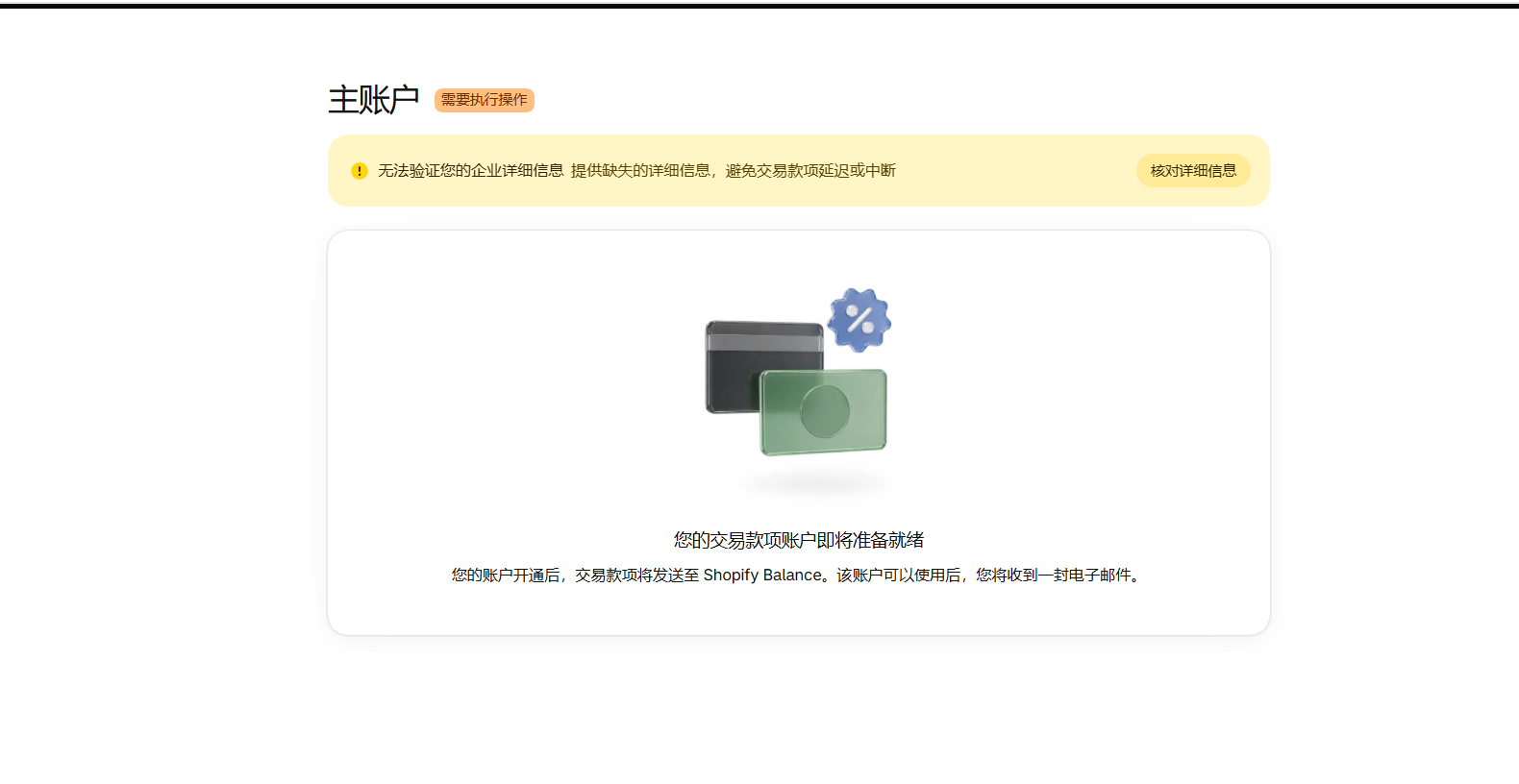
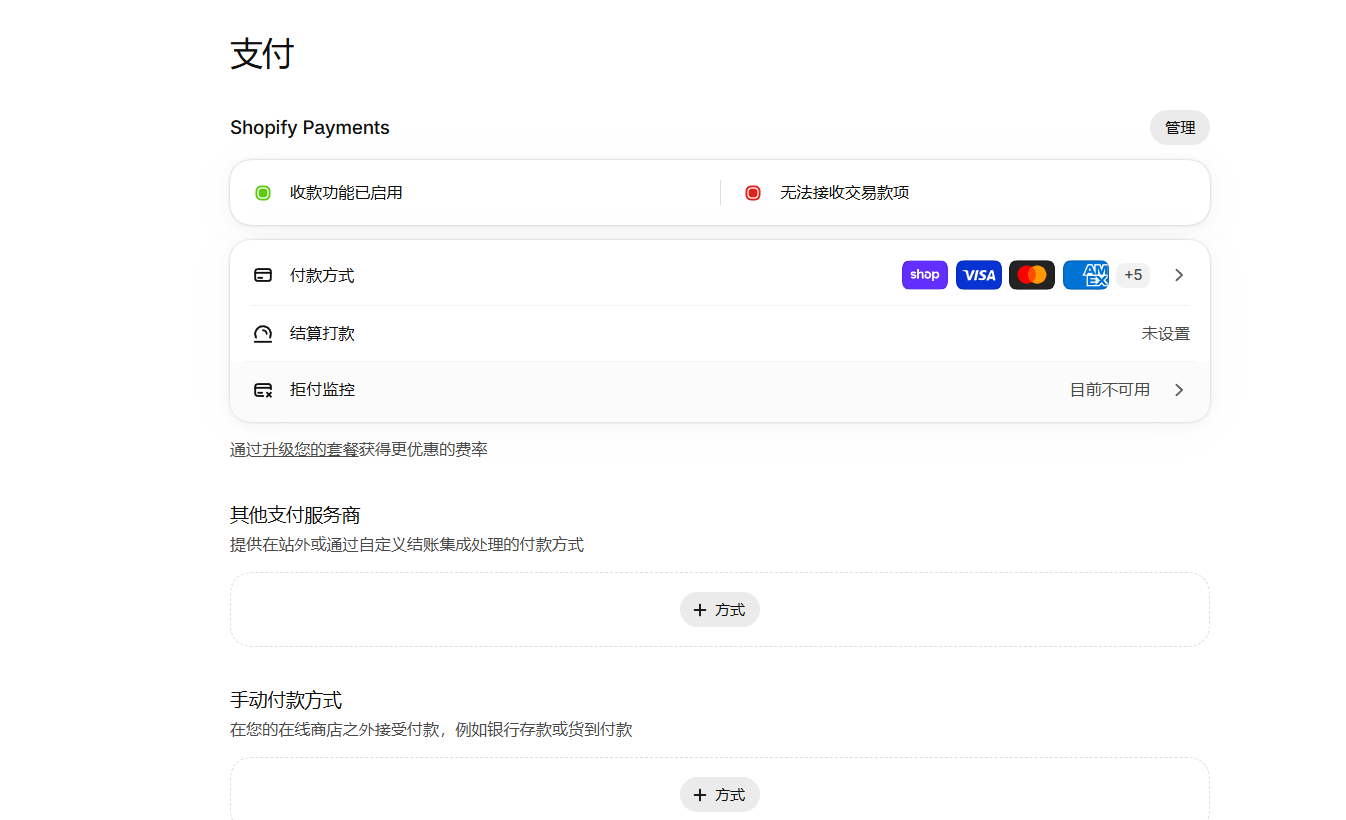
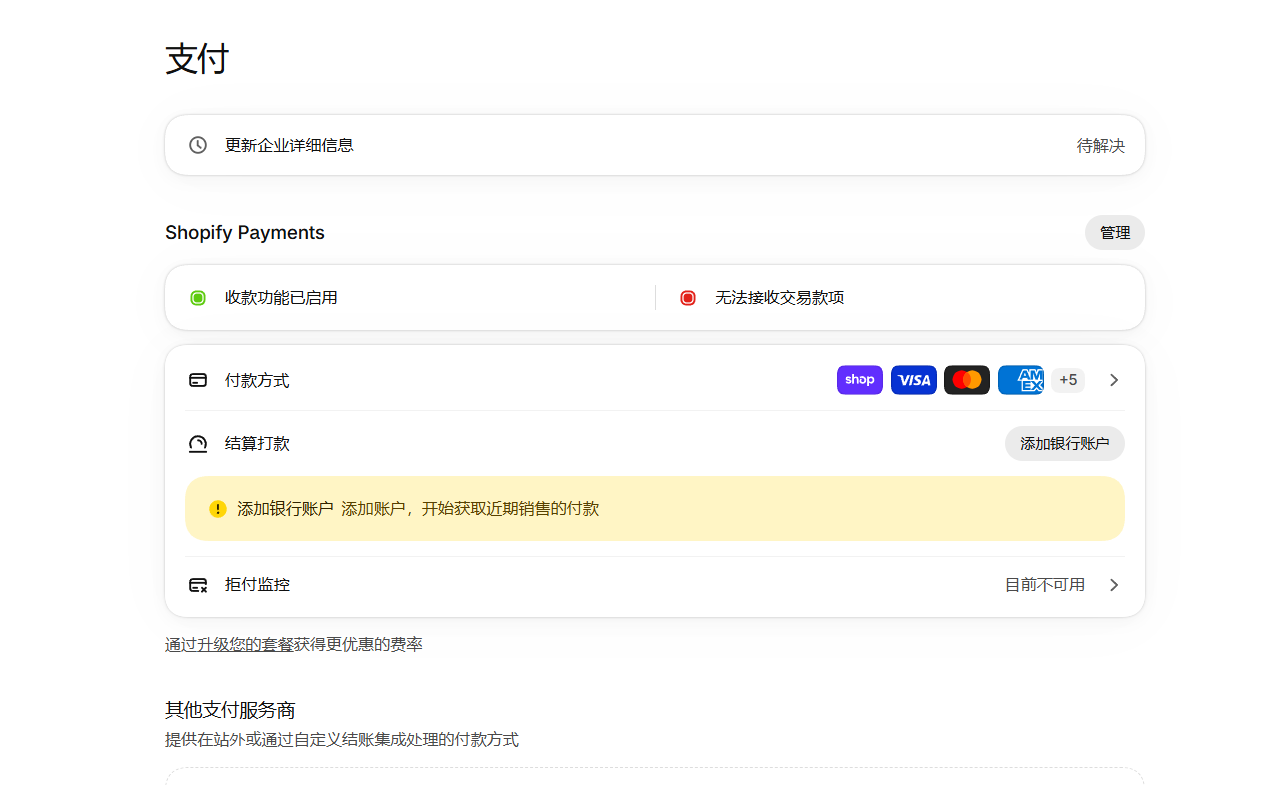
In this documented store case, Shopify Balance displayed an orange Action required badge stating that business details could not be verified, while Settings → Payments showed checkout active (green dot) alongside a red indicator for payouts (Unable to receive payouts) and Payout account: Not set.
2. Why Registered Agent & P.O. Box Addresses Are Rejected
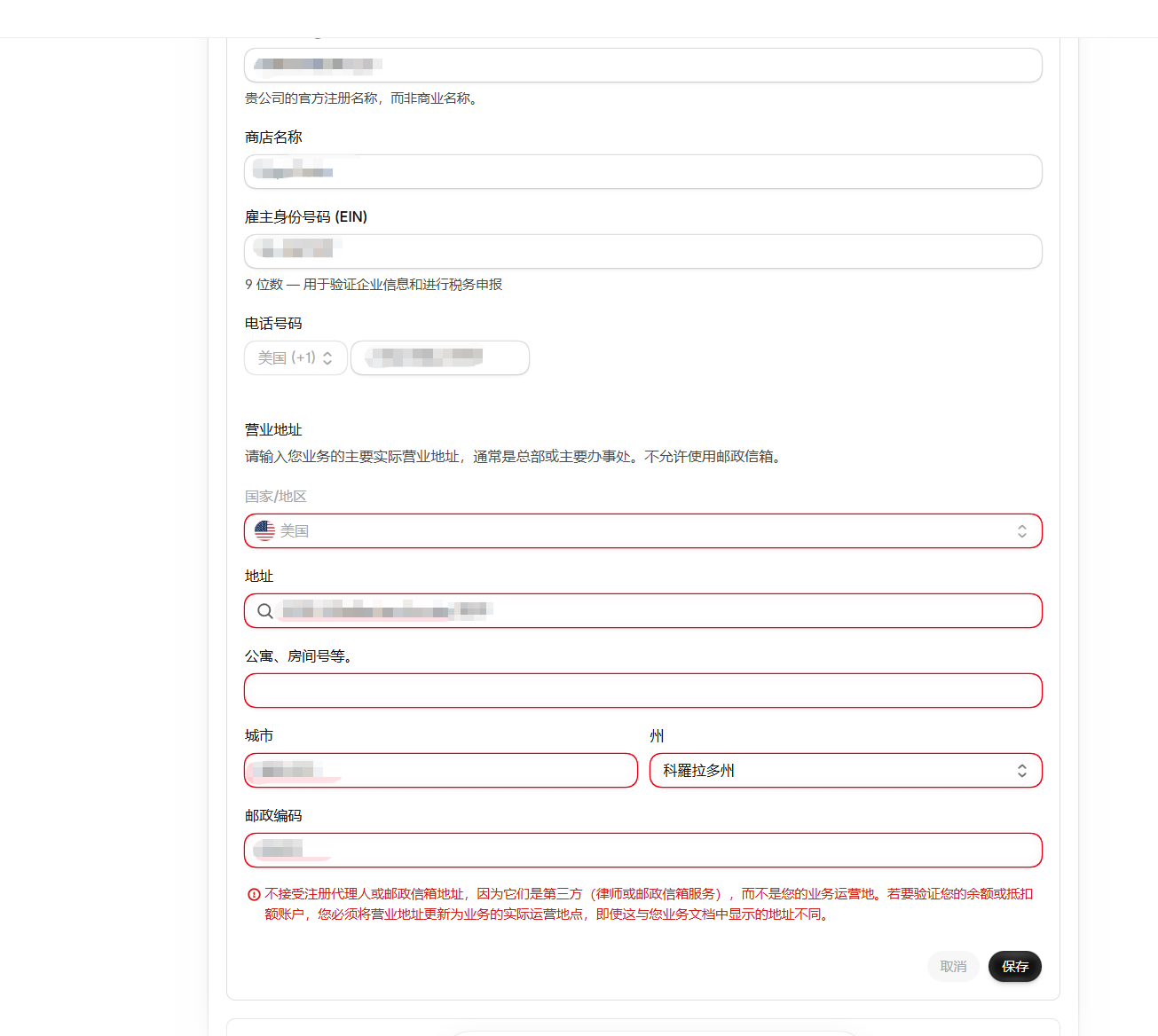
In the verification form, the legal name, store name, 9-digit EIN, and phone number passed, while the Business address card showed an explicit error stating that registered agent addresses and P.O. Boxes are not accepted because they are third-party services rather than an actual business operating location, even if a formation filing shows that address.
3. Resubmitting Shopify Balance Company & 100% Owner Verification
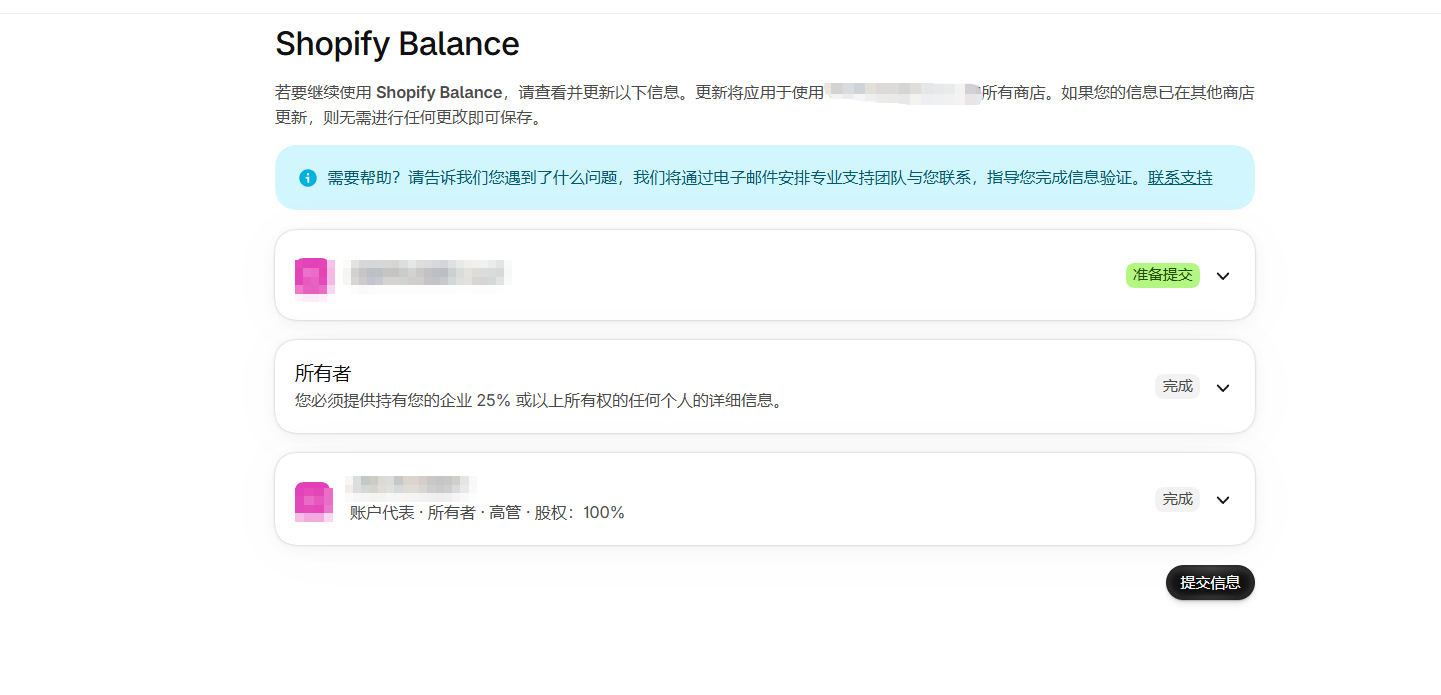
After replacing the address with a verified independent US physical operating address and saving, Shopify Balance confirmed the entity card as Ready to submit alongside the 100% beneficial owner record marked Complete.
4. Binding a JPMorgan Chase USD Account & Entering the 3-Day Hold
Once submitted, Settings → Payments transitioned to Update business details — Pending resolution and enabled Add bank account. Linking a matching US JPMORGAN CHASE BANK, NA USD bank account switched the status to gray Payouts pending and, in this single-store case, triggered a 3-day security hold before scheduled payouts resume.
FAQ
Does the replacement independent US operating address have to match the IRS EIN letter or Articles of Organization?
No. Shopify explicitly states in the address rejection prompt that you must update the business address to the actual place where your business operates, even if that differs from what appears on your business documents, while keeping legal entity name and EIN consistent.
Why does Shopify show a 3-day payout hold right after linking a new USD bank account?
Observed in this single-store case, linking or changing the payout bank account triggers a 3-day security hold ("Payouts will resume in 3 days") so the store owner can confirm via email that the bank change was authorized.