

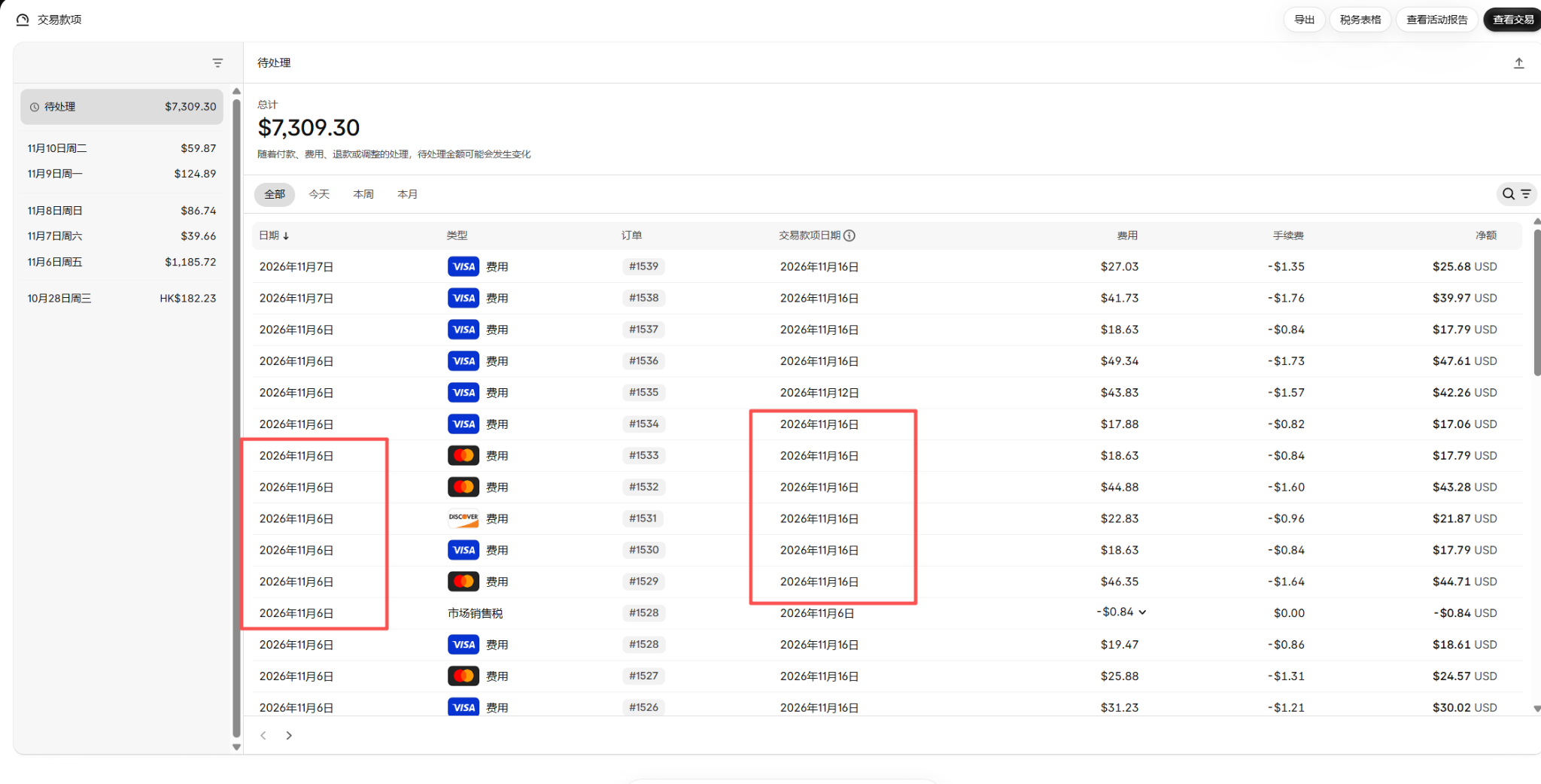
I am Daming at Simbatch. When auditing Shopify Payments for our US store, I noticed our pending balance had reached $7,309.30. More importantly, multiple transactions from November 6 were showing a payout date of November 16—10 calendar days later.
Because procurement, logistics, and ad spend all depend on predictable cash flow, I sent the transaction breakdown to Shopify Support Advisor Bettina and cross-checked our payment settings and actual payouts in Shopify Balance.
Key Audit Findings
- In this batch of screenshots, several Nov 6 transactions show a Nov 16 payout date (10 calendar days), while same-day order
#1535shows Nov 12. - Shopify Support confirmed our Shopify Balance setup is active and healthy; the longer payout window reflects the initial new-account stage rather than a fixed permanent 10-day rule.
- Our Shopify Balance account (ending in
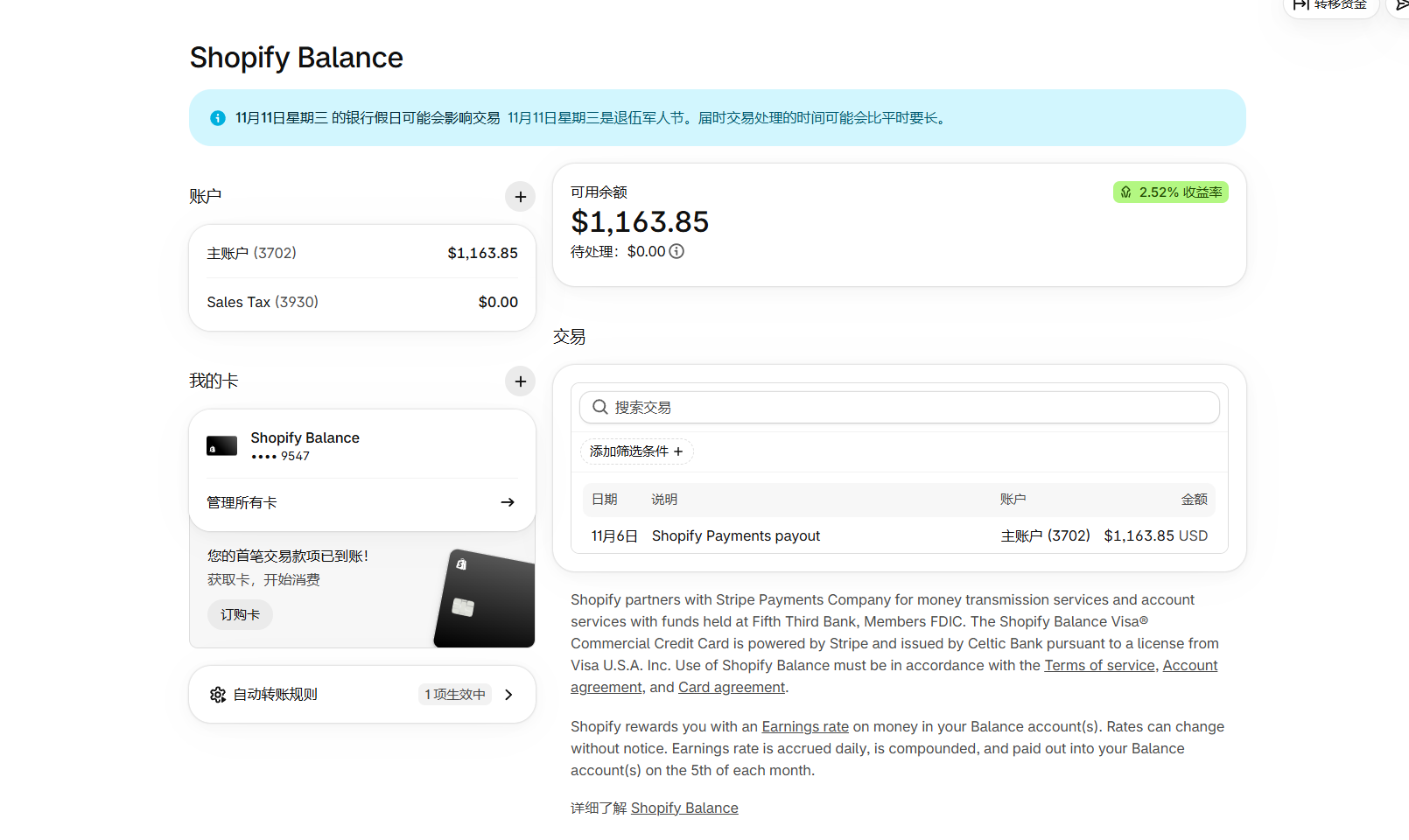
3702) has already received its first real payout of $1,163.85 USD on Nov 6.
1. Transaction Date vs. Payout Date
On the Payouts transactions screen, total Pending showed $7,309.30. Multiple Nov 6 orders (such as #1533 for $17.79 and #1532 for $43.28) listed Nov 16 as the payout date, whereas same-day order #1535 ($42.26) listed Nov 12.
2. Verifying with Shopify Support (Bettina)
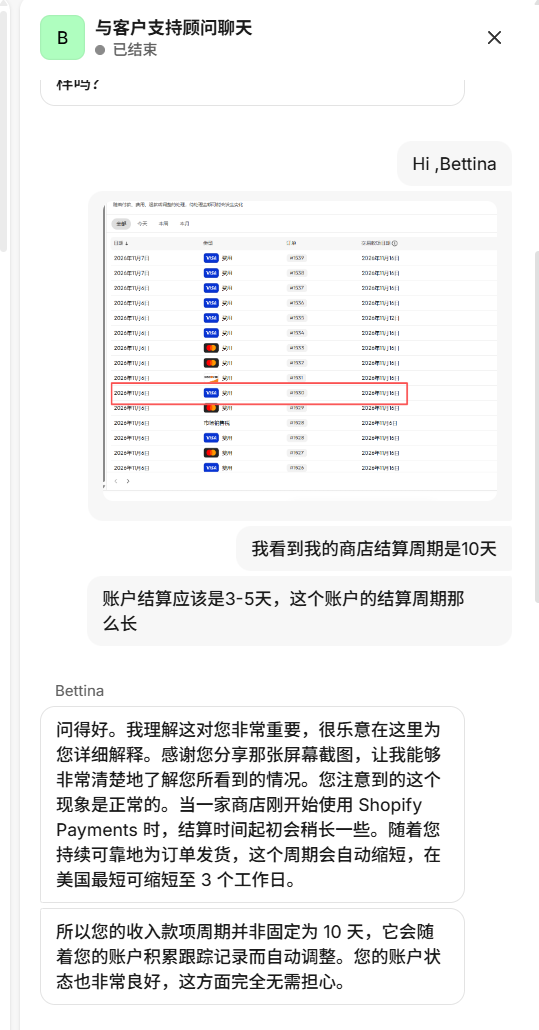
I asked Bettina directly why our store showed a 10-day cycle instead of 3–5 business days. She explained that new stores on Shopify Payments often start with a slightly longer settlement window, which automatically adjusts as the store builds a reliable fulfillment history.
3. Why Balance Still Shows a Longer Initial Cycle
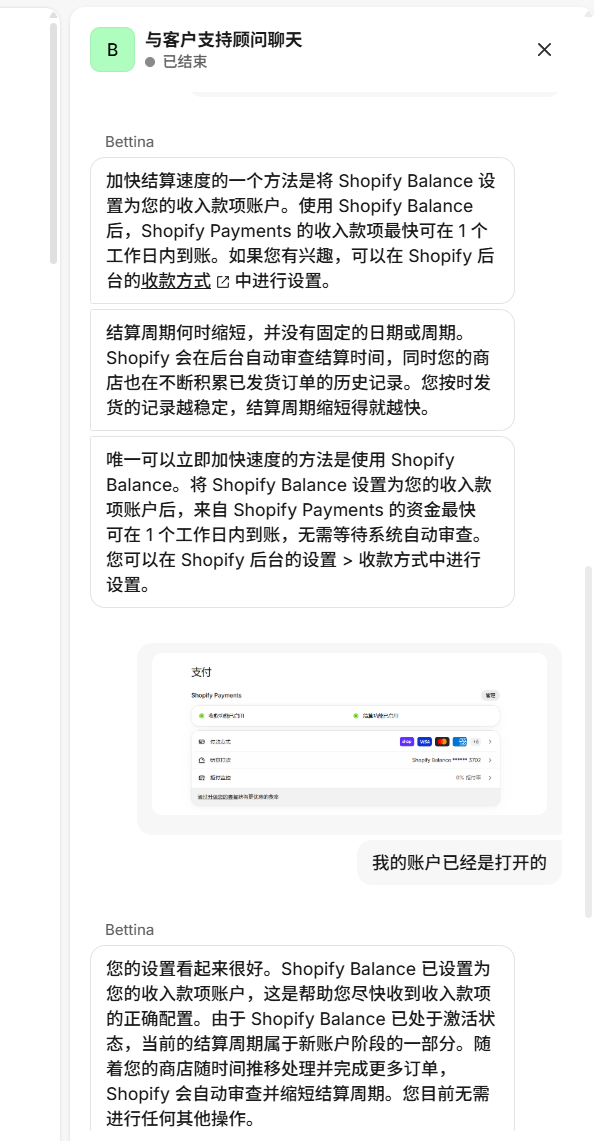
After reviewing our payment settings screenshot, Bettina confirmed that Shopify Balance is properly linked and active, and that no extra configuration is needed while the system reviews fulfillment history during the new-account phase.
4. Four Key Checks in Payment Settings
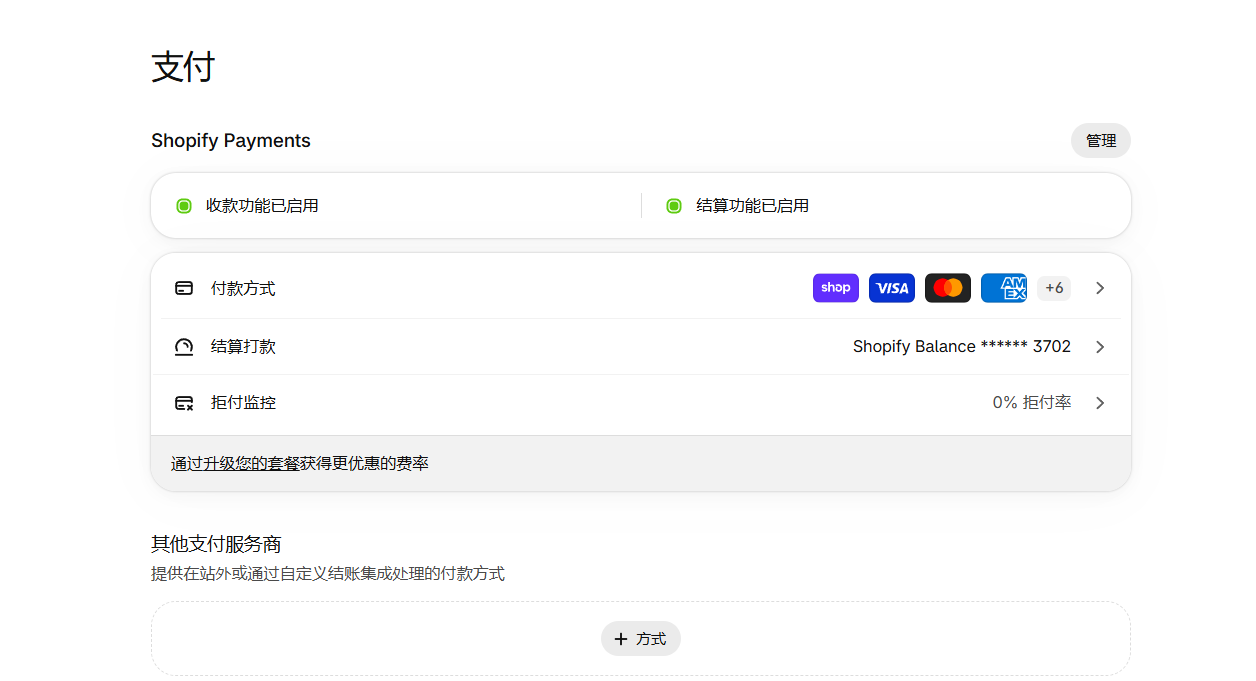
In Settings → Payments, we verified four indicators: Payments enabled (green), Payouts enabled (green), payout account linked to Shopify Balance (*3702), and chargeback rate at 0%.
5. First $1,163.85 Payout Received in Balance
In Shopify Balance (*3702), available balance showed $1,163.85 USD from a November 6 Shopify Payments payout. Note that "Pending $0.00" on the Balance screen is separate from the "$7,309.30 Pending" on the Shopify Payments transactions page.
6. Reusable 5-Step Cash-Flow Audit Checklist
- Check per-order transaction date and payout date rather than only the pending total.
- Verify Payments status, Payouts status, and account last-4 digits in Payment Settings.
- Provide specific order numbers to Shopify Support to confirm whether any hold or document request exists.
- Reconcile Shopify Balance payouts by payout batch details rather than rough amounts.
- Schedule procurement and ad spend using actual available balance, accounting for weekends and US holidays (such as Veterans Day on Nov 11).
FAQ
Do all new Shopify Payments accounts wait 10 days by default?
No. While several orders in our screenshot spanned 10 calendar days, same-day order #1535 had a shorter window. The longer initial window is an account-stage behavior rather than a fixed universal rule.
Does a $0.00 pending figure in Shopify Balance mean all store payouts have arrived?
No. Always reconcile the Shopify Payments Pending total ($7,309.30) and the Shopify Balance available balance ($1,163.85) separately by payout batch.