

Summary of this documented case: Based on 7 real Meta China OE onboarding screenshots, this single-case walkthrough records Business Manager & business license entry (maximum 7 ad accounts per business license entity), timezone lock & 1-account-1-URL binding, Alipay legal representative same-name verification, mandatory Terms checkboxes 1 & 3, and the three-stage agency review tracker.
When applying for a Meta (Facebook) ad account as a China-based e-commerce business through the Official Reseller (OE) onboarding wizard, teams frequently hit avoidable roadblocks—or waste entity quota because they do not realize that one business license entity can open at most 7 ad accounts, and each ad account can only promote 1 website URL (no multiple links allowed).
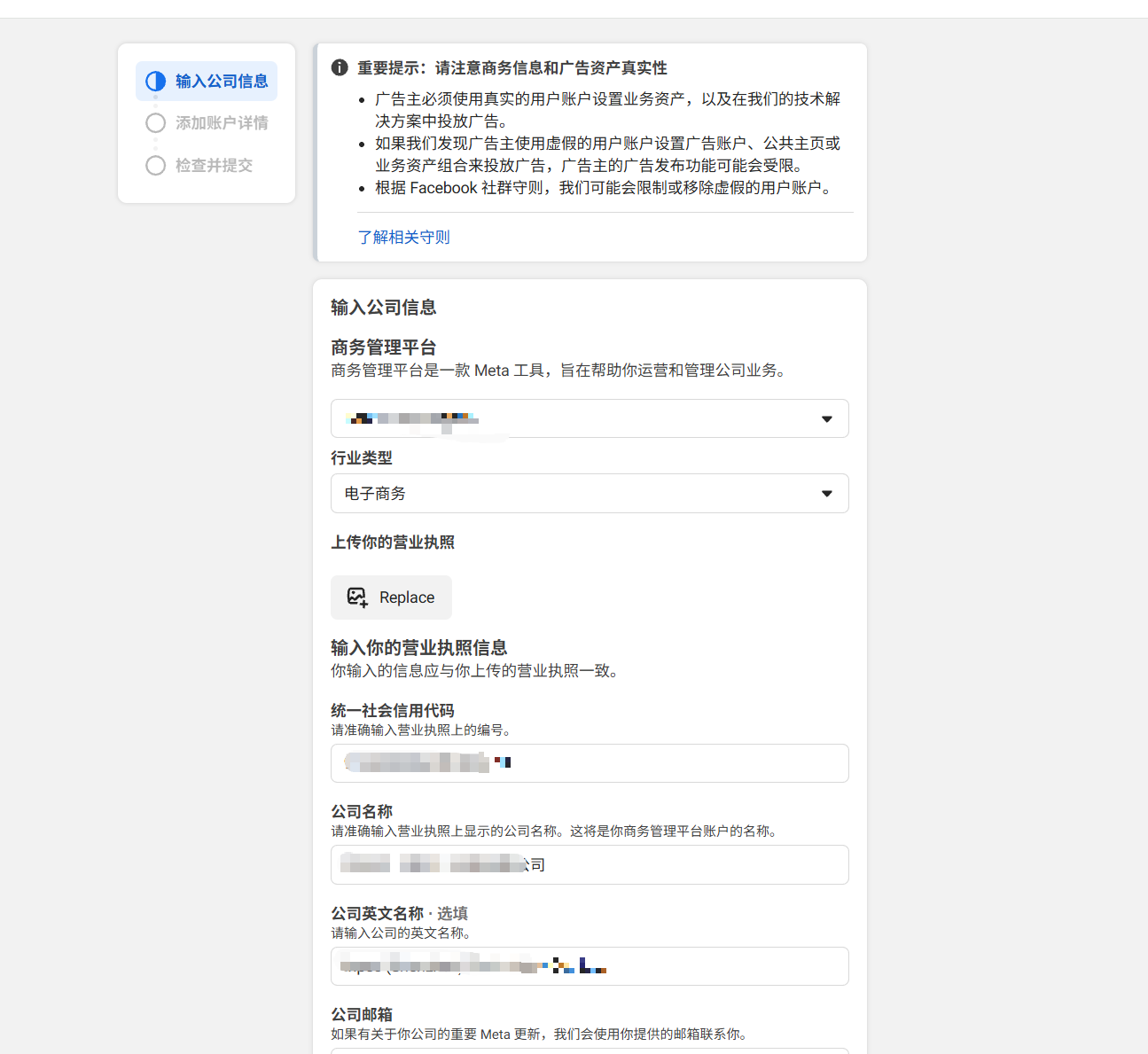
1. Step 1: Company Info & 7-Account Entity Quota
Select your target Business Manager (BM), choose E-commerce as the industry, upload a clear color scan of your business license, and enter the exact 18-digit Unified Social Credit Code and legal company name. Because each business license entity is capped at 7 ad accounts maximum, plan your quota carefully before submitting.
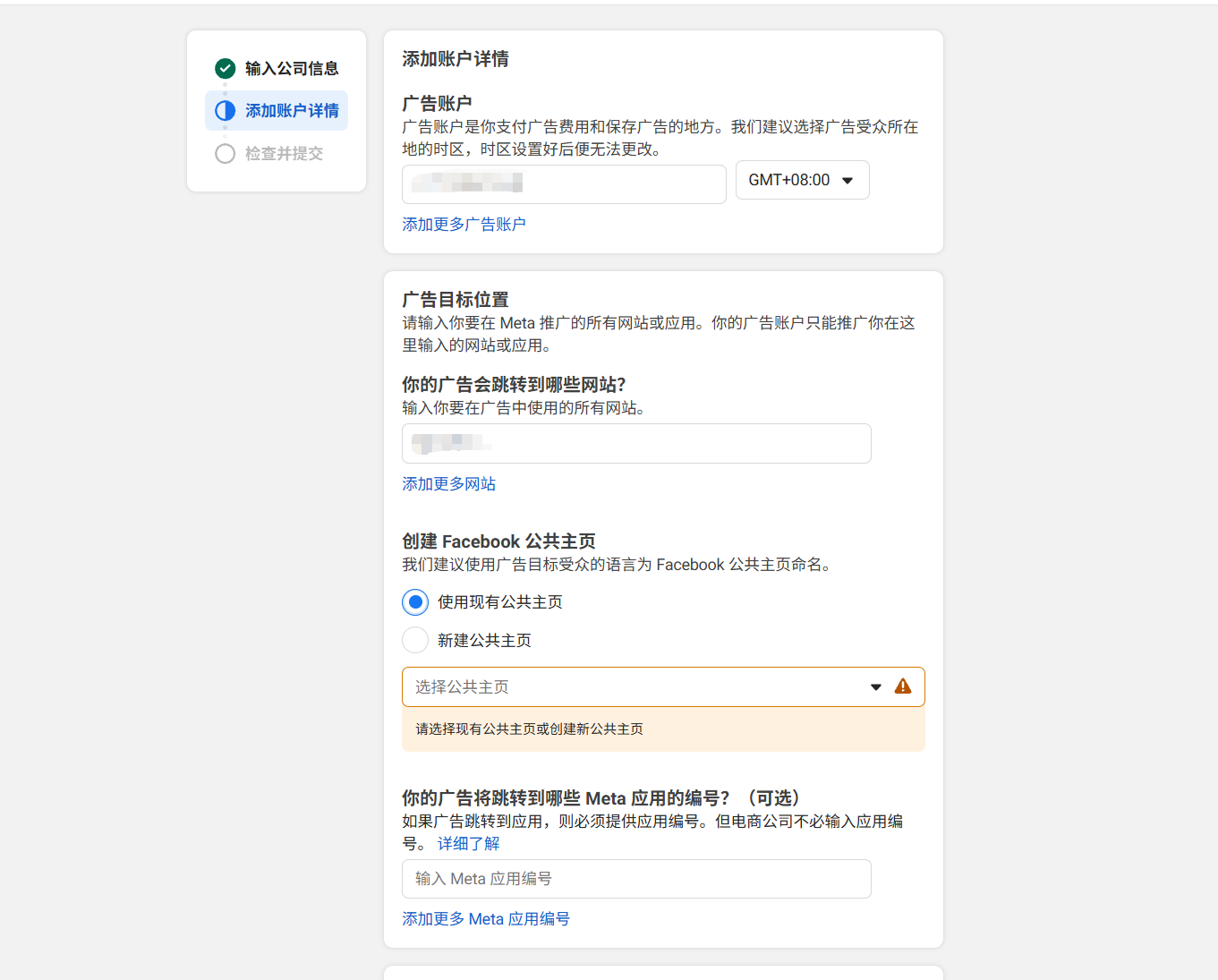
2. Step 2: Timezone Lock & 1-Account-1-URL Rule
In Add Account Details, remember three strict rules: (1) the ad account timezone (e.g., GMT+08:00) cannot be changed after creation; (2) one ad account can only promote one website link—do not add multiple domains or cross-promote unregistered stores; (3) after selecting Use existing Page, you must pick the specific Facebook Page from the dropdown menu, while e-commerce stores can leave the optional Meta App ID blank.
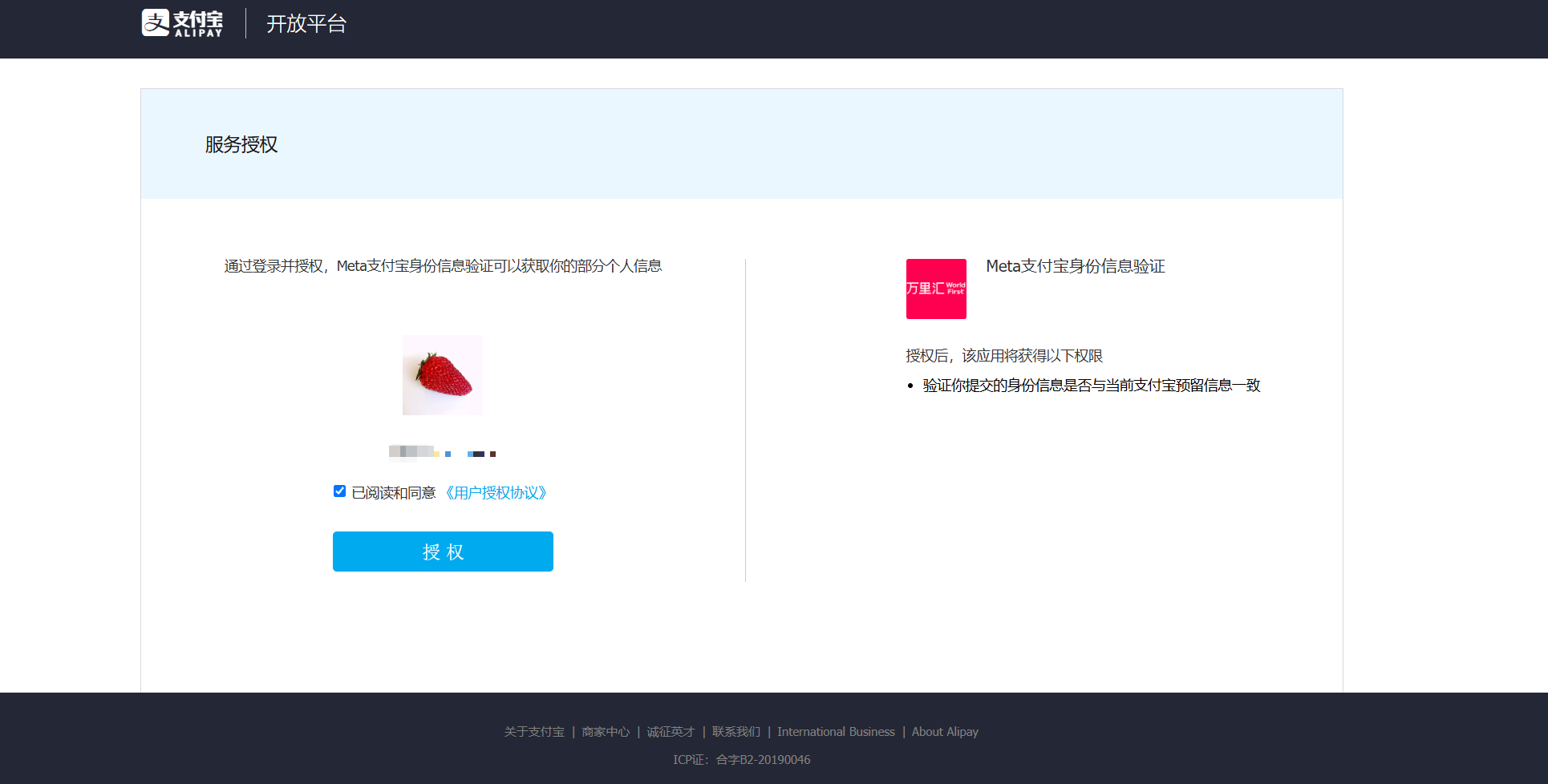
3. Step 3: Alipay Legal Rep Same-Name Verification
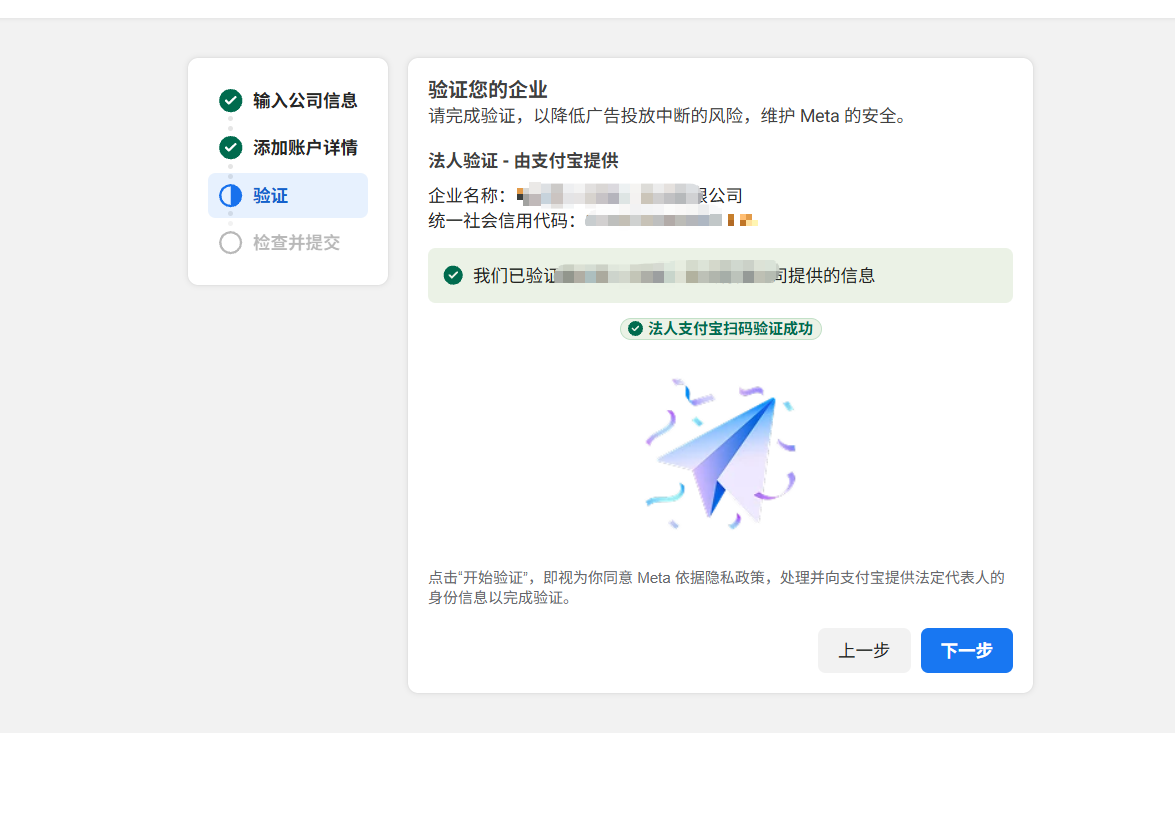
Authorize Meta Alipay Identity Verification on Alipay Open Platform using the personal Alipay account of the legal representative named on the business license. After seeing Same-Name Verification Succeeded and returning to the Meta wizard, click Next in the bottom-right corner—do not close the browser tab early.

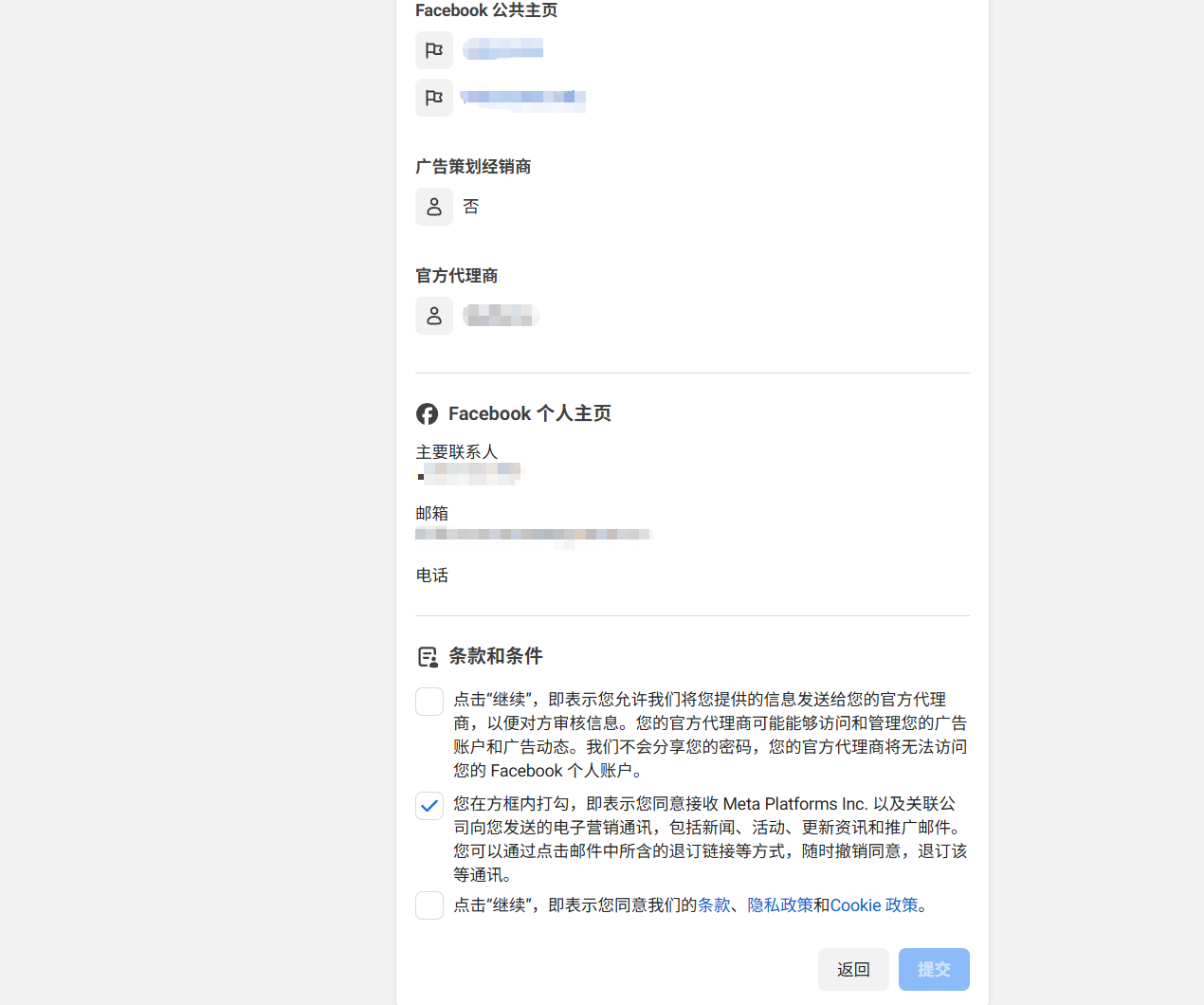
4. Step 4: Review & Submit Required Checkboxes
At the bottom of Review and Submit, you must check both Checkbox 1 (authorizing data sharing with your chosen Official Reseller for review) and Checkbox 3 (agreeing to Meta terms and privacy policies) to enable the blue Submit button.
5. Step 5: Three-Stage Agency & Facebook Review Tracker
Once submitted, the dashboard generates a Reference Number and enters the three-stage pipeline: Official Reseller Review → Facebook Review → Approved.

FAQ
How many Facebook ad accounts can one business license entity open, and can one ad account promote multiple website links?
A China-based business license entity can open a maximum of 7 Facebook (Meta) ad accounts, and each ad account can only bind and promote 1 website link (you cannot add multiple website links to one ad account).
Does "Alipay QR verification succeeded" mean my ad account application is submitted?
No. It only completes Step 3 (Verify Business). You must click Next to enter Step 4 (Review and Submit), check the required terms checkboxes 1 and 3, and click Submit until a Reference Number is generated.